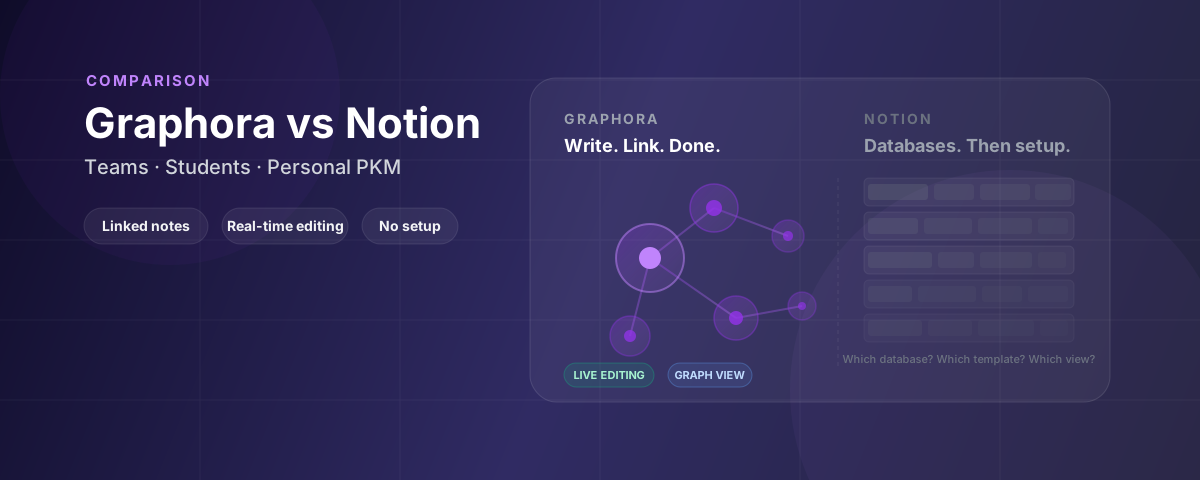
You set up a Notion workspace. You built the databases, added the views, configured the templates. It took a weekend. Your team got access. Then someone asked: “Wait, which database do I use for meeting notes?”
And the onboarding began. Again.
That’s the Notion trap. The tool is powerful, but the power comes at a cost. For many teams and students, that cost is complexity. You end up spending more time managing the system than using it.
This article is a direct comparison, honest about where Notion wins and where Graphora is the better fit.
Who this comparison is for
This article is written for three groups:
- Small teams (2–10 people) who want shared, linked documentation without weeks of setup
- Students who keep their own notes in a private space but occasionally collaborate with classmates in a shared one
- Solo note-takers who want to think in connected notes, not manage databases
If you need powerful databases, project management views, and deep customisation, Notion is probably still the right answer. We’ll be honest about that below.
What Notion does well
Notion is genuinely excellent at a few things:
- Databases: Flexible, powerful relational databases with multiple views (table, board, calendar, gallery).
- All-in-one: Docs, wikis, tasks, and databases in a single product.
- Templates: A large library of community templates for almost any use case.
- Collaboration: Real-time editing, comments, and sharing are built in.
If those are your priorities, Notion is hard to beat. Nothing in this article will change that.
Where Notion works against you
The moment you want to think in connected ideas rather than manage structured data, Notion’s design starts getting in the way.
It’s built around databases, not linked thinking. Linking between pages is possible, but there’s no graph view, no linked references panel, and no way to explore how your ideas connect visually. The core model is blocks and databases. Great for structured data, awkward for fluid, associative thinking.
The system requires maintenance. Someone has to design the workspace, choose the templates, and keep it organised. When the structure drifts, things fall through the cracks. New team members need a tour before they can contribute. That overhead is invisible in demos but very visible in daily use.
Performance degrades as workspaces grow. Large Notion workspaces get slow. Page loads lag, database views take time to render, and editing large documents feels sluggish.
For project management and structured data, these trade-offs are worth it. For fast, flowing note-taking and connected thinking, they aren’t.
What Notion users say they’re missing
Based on App Store reviews and Product Hunt feedback, these are the frustrations that come up most often, and how Graphora addresses them.
“New team members take weeks to get up to speed.” The most frequently cited complaint. Onboarding new people to a Notion workspace often requires dedicated training time. Users describe it as “overwhelming for beginners” and “not intuitive for casual users.” Graphora: a note is just a note. Writing and linking requires no knowledge of databases, views, or block types.
“It’s not really built for connected thinking.” Users who want linked references between pages, a visual graph of ideas, and daily journals that connect to their broader knowledge find Notion’s linking model too limited. Graphora: note links, linked references, and graph view are core features, not add-ons.
“There are too many ways to do the same thing.” Too many block types, too many database views, too many decisions before you can just write something down. Users describe “choice paralysis” and difficulty knowing which features to use for a given task. Graphora: one editor, one way to write. Structure comes from linking, not from choosing between block types.
“It gets slow as the workspace grows.” Performance degradation is a documented pattern: slow page loads, sluggish database views, lag during editing on larger workspaces. Graphora: built around a document-first model rather than databases, which stays fast for note-heavy workspaces.
Three scenarios where Graphora wins
1. Small team that just wants to write and share
Your team needs a shared place for meeting notes, decisions, and project context. Notion works, but someone has to build the workspace first, and someone has to maintain it.
In Graphora, you create a space, start writing, and link notes as you go. There’s no database to configure, no template to choose, no hierarchy to design. A new team member gets added to the space and can start reading and contributing immediately.
The graph view shows how sprint notes connect to decisions, how meeting notes reference open issues, and which topics keep coming up across the team’s work.
2. Student preparing for exams with a study group
You take notes in every lecture, linking concepts across modules. In Graphora’s daily journal, you capture quick thoughts and they automatically connect to the relevant pages you’ve been building.
When exam season arrives, you share specific documents with your study group in a shared space. They can add their own notes and corrections directly. You see their changes live. Your private notes stay in your own space; the shared docs live in the group space.
With Notion, getting a study group set up means choosing a template, explaining the database structure, and waiting for everyone to figure out where things go. Often the friction means it just doesn’t happen.
3. Solo note-taker who wants to think, not manage
You want to build a knowledge system that grows with your thinking. You want to capture a quick idea in a journal, link it to an existing note, see how it connects to other concepts, and find it again six months later.
Notion can do this, but it requires you to decide whether a note is a database entry or a page, what properties to add, which view to use. The thinking gets interrupted by the tool.
In Graphora, you write. You link with note links. The graph builds itself. The linked references panel shows what connects. The structure emerges from your thinking rather than preceding it.
Start Graphora free → No credit card, your workspace is ready in under a minute.
When Notion is still the better choice
Notion wins if you:
- Need powerful databases: relational data, filtered views, and structured project tracking
- Want a true all-in-one: tasks, docs, wikis, and databases in one product
- Have a team willing to invest in setup: the power pays off at scale
- Need deep template customisation: the community template library has no equivalent
- Already have a mature Notion workspace: migrating is a real cost
These are genuine advantages. If they describe your situation, Graphora probably isn’t worth switching to.
The clearest signal you need Graphora
You set up Notion with good intentions, but maintaining the workspace has become a second job. Notes go in the wrong place. Team members ask where things go. The database views are powerful but nobody uses them. You spend more time managing structure than thinking.
That overhead is the signal. Graphora removes it.
You get real-time collaboration and shared workspaces, built around linked notes and fast writing rather than databases and block types.
No setup. No credit card. Works in any browser. Your first space is free, forever.